Art & animation
Inspect items and TileData, browse available slots, import or export animation, and check directions and action coverage.
ULTIMA ONLINE CREATION, CONNECTED
Add full armor sets with their animations in a few clicks. Easily import monsters and effects, and generate their server scripts in the same app. Choose Sphere, RunUO, ServUO or the new ModernUO preview target.
v0.31.0 · Windows 10/11 x64 · 16.7 MB
Ready-to-run installer. No separate Python installation.
NEW IN 0.31 / WORLDS & SCRIPT RECIPES
Give mountains craggy rock faces with Classic UO edges and native terrain textures. Inspect heights, slopes and shore transitions before exporting. Natural caves have black rock openings and clear approaches.
Save script recipes, reopen your settings and preview the generated code. Rideable objects mount directly from a backpack item and return that item on dismount.
Explore the world and scripting changes →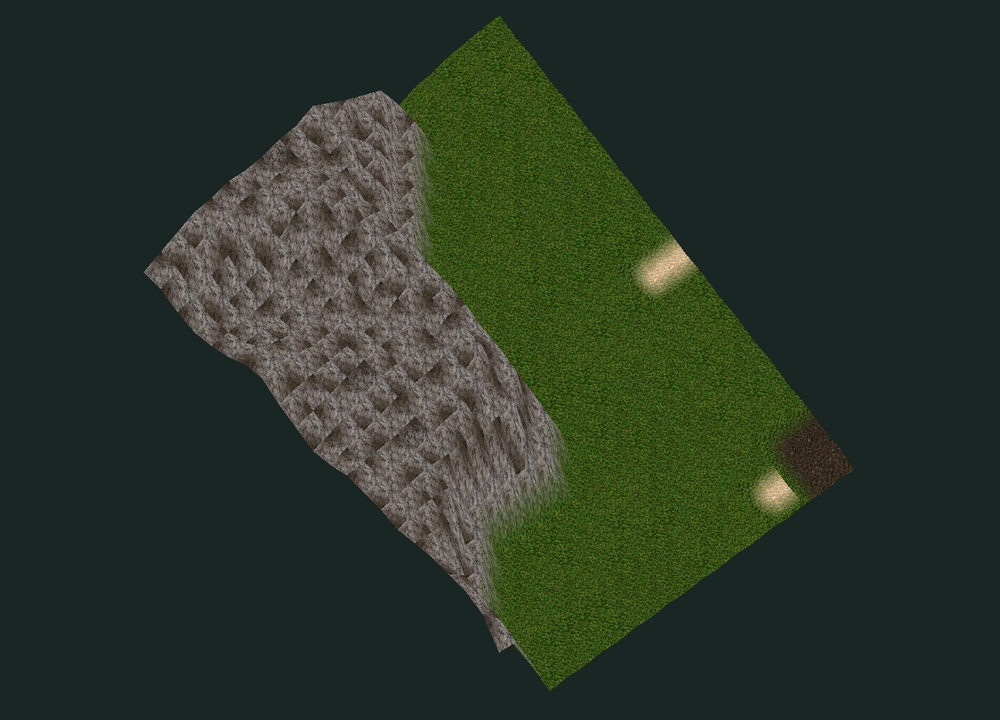
NEW IN 0.30 / REDESIGNED WORKSPACE
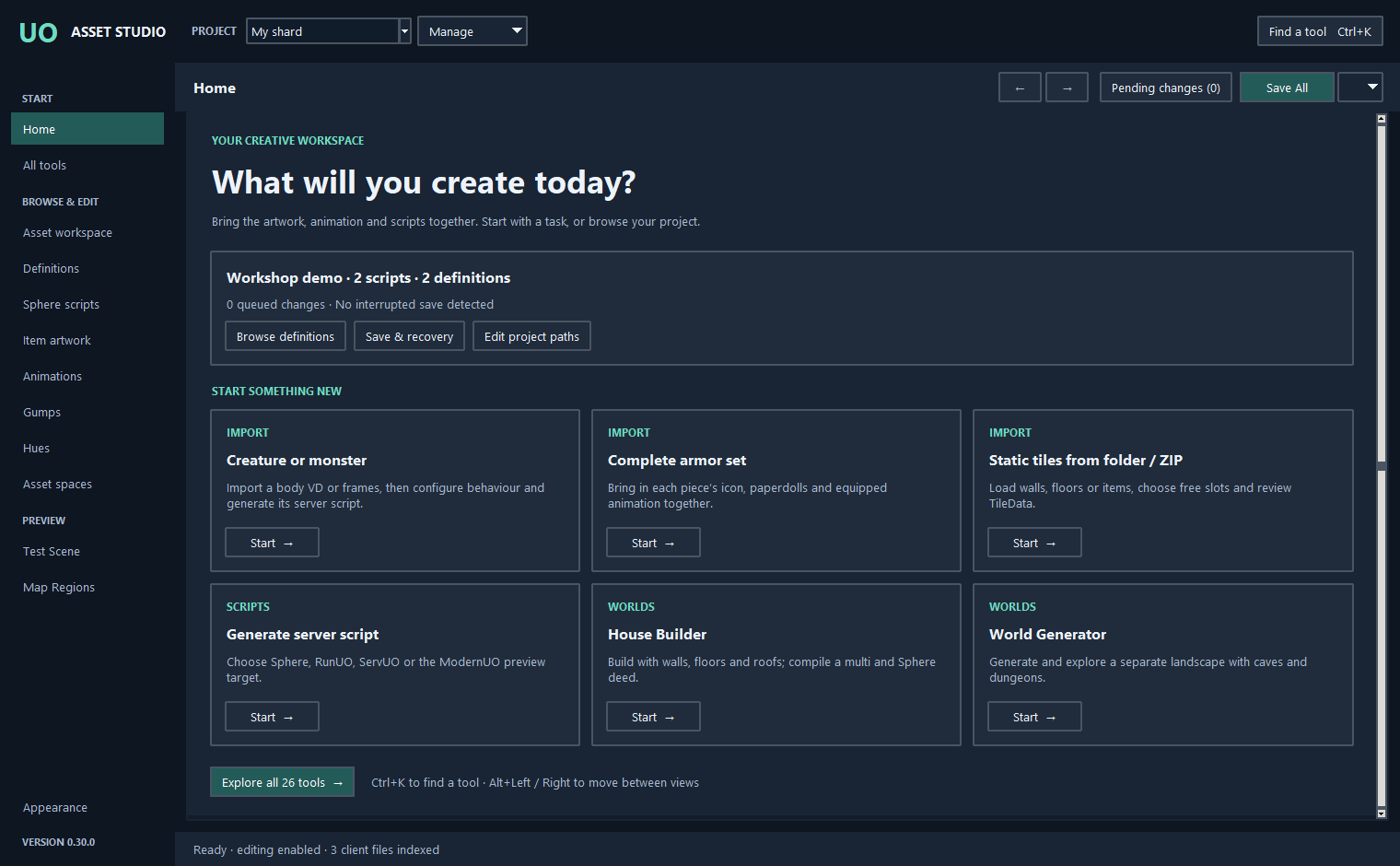
Home brings the common starting points together. A permanent sidebar takes you between editors, while Ctrl+K finds any of the 26 tools by task or category.
Show Definitions or Script files when you need them. Each view remembers its panels. Ten colour themes, two text sizes and clearer controls make the workspace easier to read.
Explore the new layout →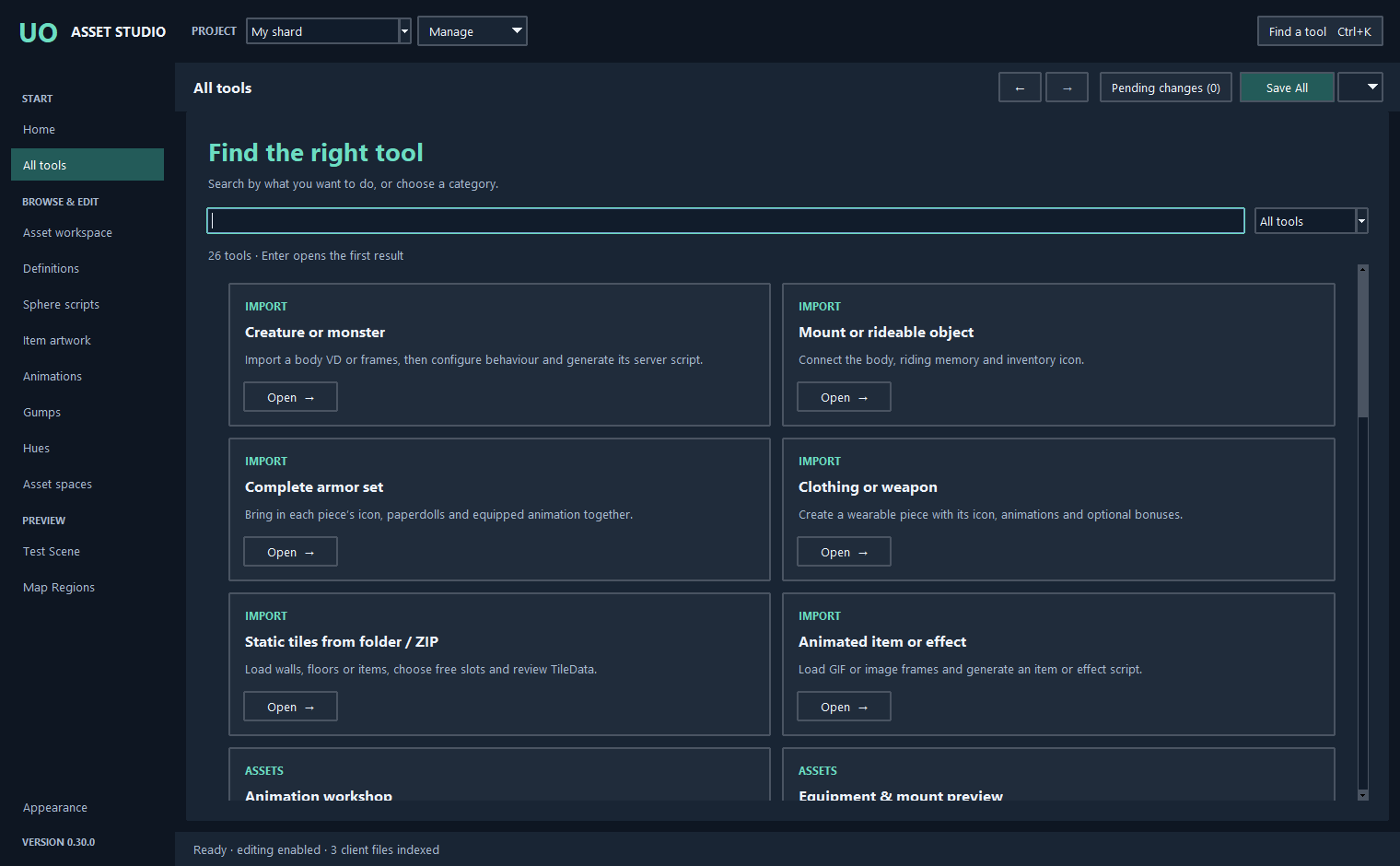
NEW IN 0.30 / SPHERE MAP REGIONS
Select a town, dungeon or wilderness region on the map. Draw or move its boundaries, add a region or remove one. Choose guarded and safe areas, spell use, recall, gates, teleport, PvP and building rules.
Review the script differences before saving. Custom tags, events and unrelated sections are retained. New regions are grouped under scripts/regions. Terrain and placed objects stay unchanged.
See region editing →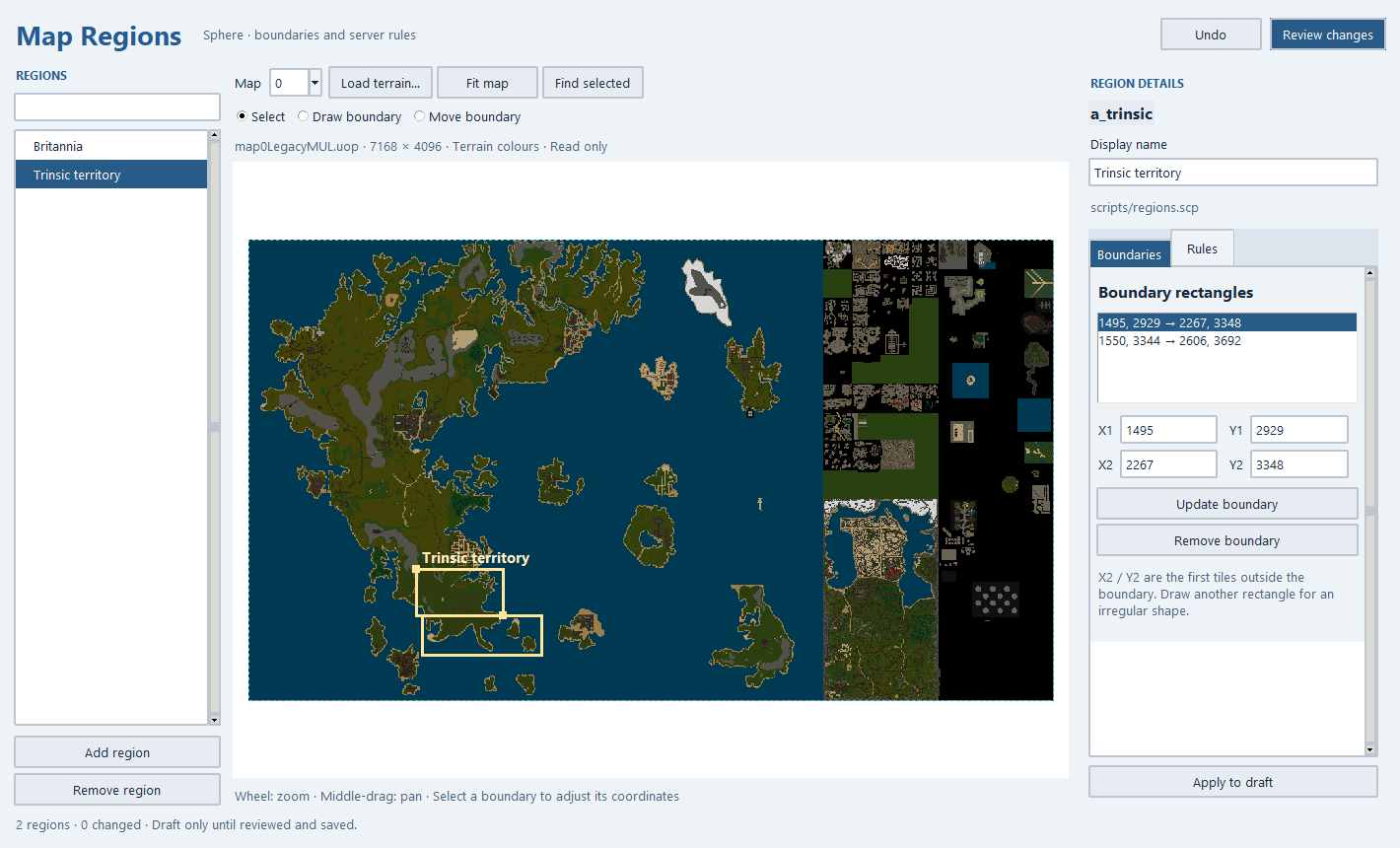
NEW IN 0.29 / STATIC TILE PACKS
Bring in static walls, floors and items from a folder or ZIP. Include subfolders, browse converted previews and let Studio find a free range for the batch.
Review the order, artwork IDs and TileData before saving. PNG and BMP packs stay together through the same save and recovery workflow as individual images.
See folder and ZIP imports →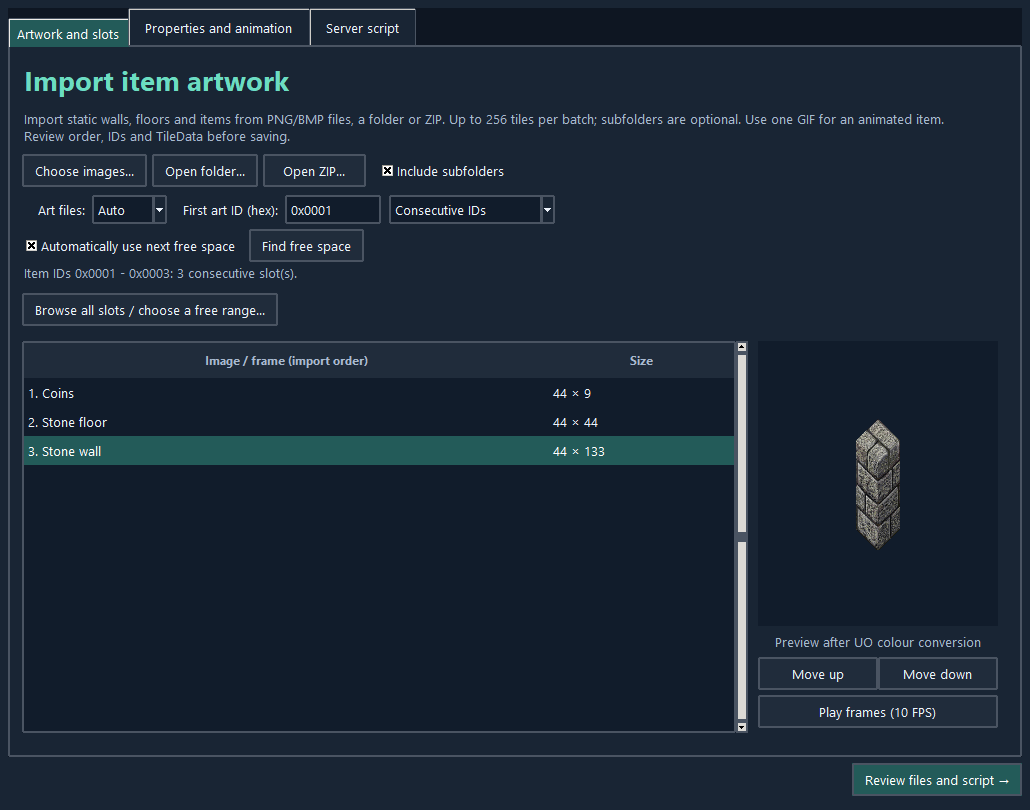
NEW IN 0.29 / MODERNUO PREVIEW
Choose Sphere, RunUO, ServUO or ModernUO when importing creatures, mounts, items, effects or a complete armor set. Generate scripts for existing artwork in the script workshop, too.
ModernUO is a preview target for official 0.15.6.198, with native generated serialization and UOContent destinations. It has source and syntax checks; full ModernUO compilation and shard testing remain required.
See targets and compatibility →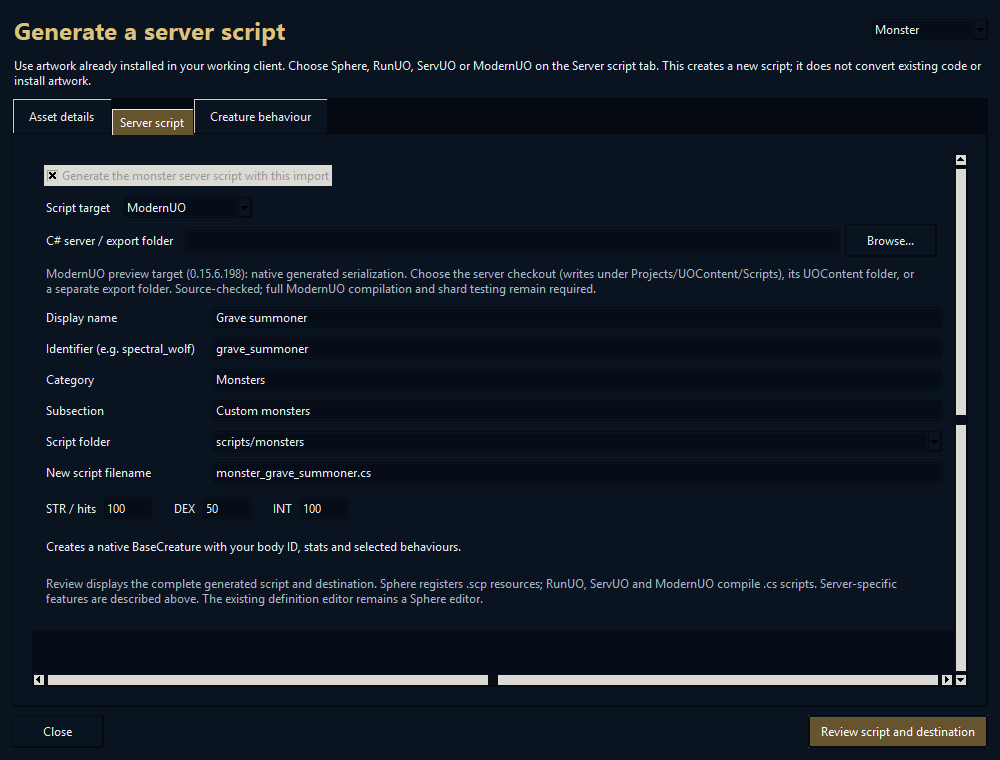
NEW IN 0.27 / CREATURE BEHAVIOUR
Import a monster or mount VD, then choose how it behaves. Make it cast spells, heal, be tameable or attack with custom effects. Build a lich-style summoner that calls in temporary allies.
Start with eight editable presets. Set when an ability fires, its chance, cooldown, health threshold and range. Studio generates the chosen server script and required helpers in the same import review.
Explore creature behaviours →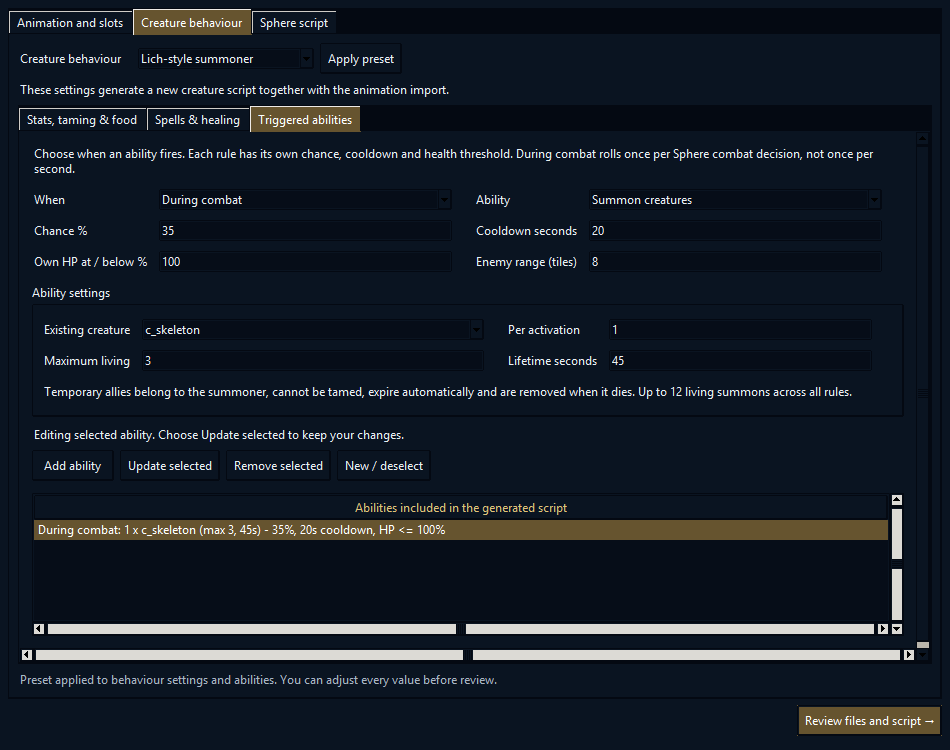
ONE ASSET, ALL ITS CONNECTIONS
An item is more than a picture. It may need an inventory icon, animation, a paperdoll image, TileData, sound and a script. Studio lets you work on those connections together.
Select a definition and follow its artwork, related files and references. Import a new appearance, check how it moves, give it gameplay properties and review the changes before saving. You spend less time moving between disconnected tools and more time making the thing you imagined.
Search definitions, inspect native assets and find available space.
Import artwork and animations; connect icons, paperdolls and scripts.
Compare frames, try hues and preview scale, movement and placement.
Queue linked changes, check file access and export or save deliberately.
EQUIPMENT THAT BELONGS TOGETHER
Choose a prepared set folder to bring in every piece’s animation, inventory icon and male/female paperdoll images together. Studio links the assets and generates scripts for your chosen server target, ready for you to review.
Add a Strength penalty, Luck, resistance or a skill bonus. Give a weapon a percentage chance to cast Flamestrike, Fireball and other spells on a hit. Review shows the generated script; Sphere code can also be edited in the built-in source editor.
Explore equipment and scripting →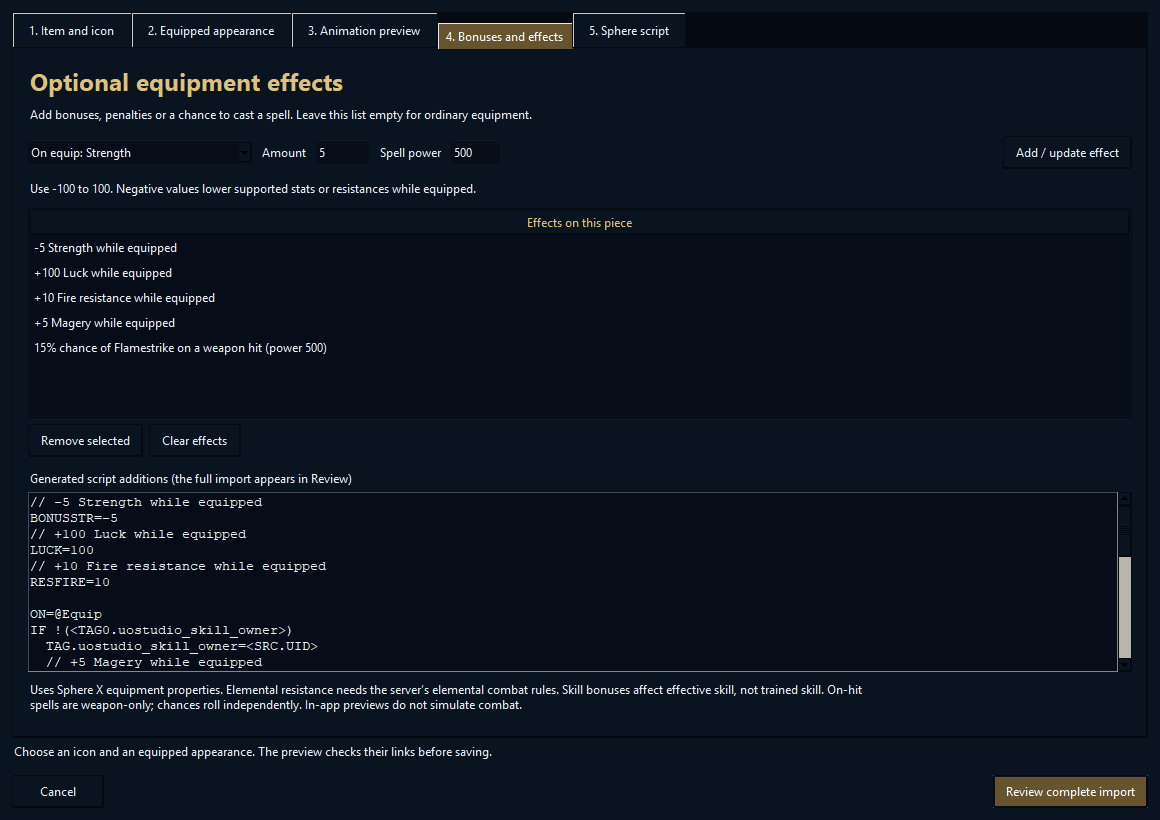
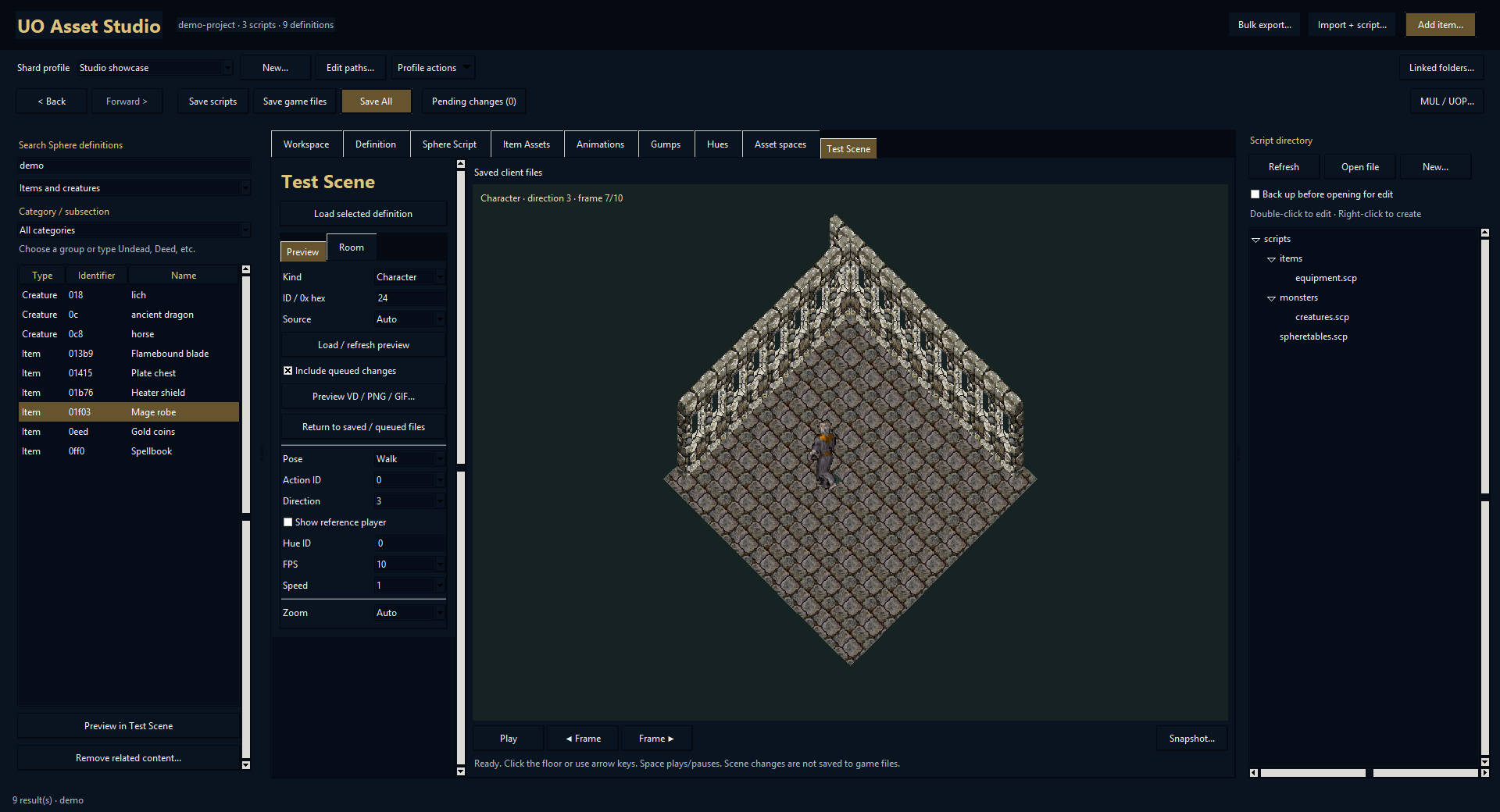
SEE IT BEFORE YOU SAVE IT
Load a character, mount, item, equipment piece or effect into an isometric room. Try directions and actions, place objects, add test walls and inspect scale, hue and lighting.
Preview queued changes and external VD/PNG/GIF files. The Test Scene is built into Studio; it does not run shard combat or execute Sphere triggers.
Step inside the Test Scene →BUILD BEYOND THE ASSET
Lay out floors, walls, roofs and decorations in House Builder, walk through the design and compile a native multi with a Sphere house and deed script.
Or start at world scale: generate coastlines, islands, deserts, icy regions, rivers, mountains and volcanoes. Reserve black space for connected dungeons and caves, then explore the terrain in a separate zoomable window. Version 0.29 improves river routes, biome boundaries and tree spacing, with Find area shortcuts for close inspection.
Discover building and world generation →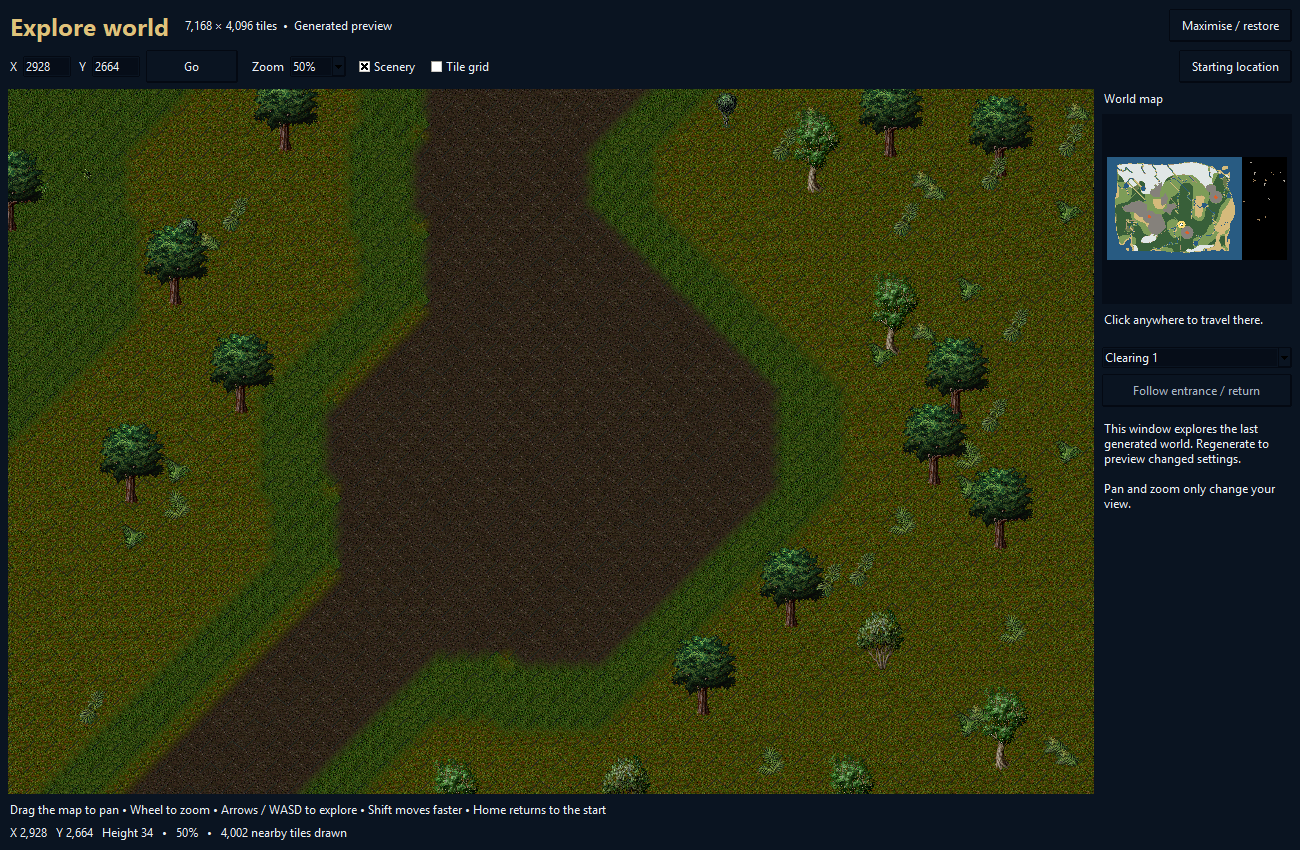
THE REST OF YOUR WORKBENCH
Inspect items and TileData, browse available slots, import or export animation, and check directions and action coverage.
Inspect gumps, design Sphere dialogs, compare colors, audition sounds and see or replace their script associations.
Search Sphere definitions, follow references, edit scripts and place generated content into relevant script folders.
Keep shard profiles, linked folders, favorites and recent assets together. Checkpoints and recovery help you resume work.
Convert supported MUL/UOP families in either direction, bulk-export artwork and share supported changes as content packs.
Inspect affected files, queue linked changes and use pre-save access checks. Review references before removing related content.
DOCUMENTED FROM THE FIRST PROFILE ONWARD
32 chapters cover setup, everyday workflows, equipment sets, the Test Scene, sounds, House Builder, world generation, exports, recovery and troubleshooting.
WHY I BUILT IT
Studio grew from the same custom-content work shown in the UO Workshop library: creatures, mounts, equipment, effects and world pieces. Its tools bring those related jobs into a shared workspace, with room to inspect and refine the result.
Explore the content library →YOUR NEXT UO PROJECT STARTS HERE
Artwork, animation, scripts, sound and worlds. One place to work.
v0.31.0 · Windows 10/11 x64 · 16.7 MB